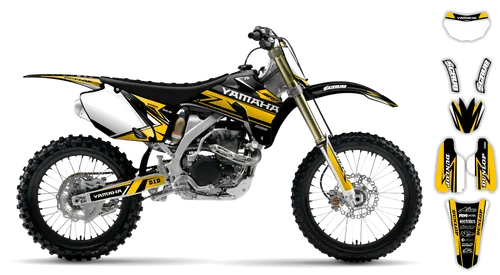
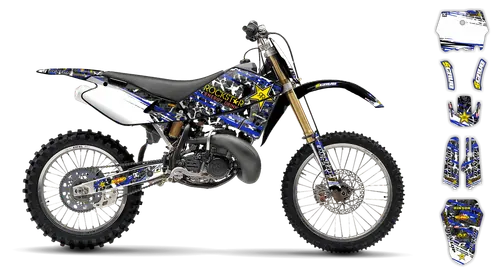
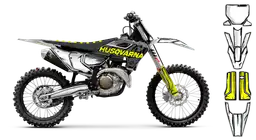
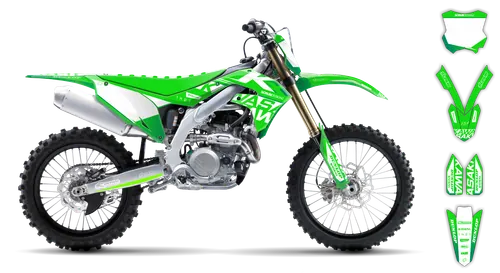
"Imagine you just finished a challenging enduro race on your Husqvarna FE 350. As you coast back home, you decide it's time to upgrade the graphics kit for better visibility. This guide will walk you through the process step-by-step.
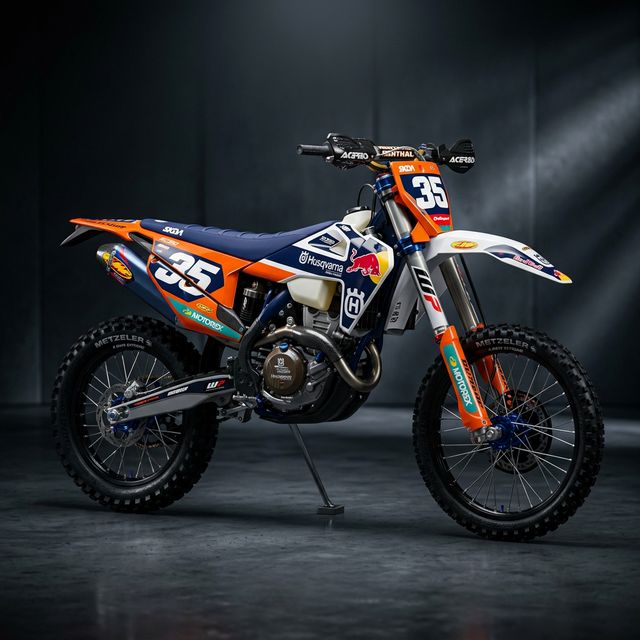
1.Material Science Deep Dive: 21mil (0.53mm) Substance Vinyl & High-Tack Adhesive
When it comes to the Husqvarna FE 350 Graphics Kit, the materials used are essential for durability and performance. At the heart of this kit is a 21mil (0.53mm) thick Substance Vinyl.
Substance Vinyl is a high-quality material known for its excellent print quality, weather resistance, and flexibility. This makes it perfect for graphics kits that need to withstand harsh off-road conditions.
The vinyl's adhesive layer is specifically designed as a high-tack solvent-based adhesive. This means the adhesive has a strong initial grab, allowing for quick and secure installation of the graphics kit.
In summary, the Husqvarna FE 350 Graphics Kit utilizes top-notch materials like 21mil Substance Vinyl with a high-tack adhesive. These choices ensure optimal performance, durability, and resistance to harsh off-road conditions.
2.FLO Technology: The Physics of Air-Bleed & Bubble Prevention
In the realm of the Husqvarna FE 350 Graphics Kit, one crucial aspect lies at the intersection of performance and aesthetics: FLO Technology. This innovative material science ensures that air bubbles don't compromise your graphics or the bike's aerodynamics.
At its core, FLO Technology is characterized by the use of micro-channels within the vinyl material. These channels facilitate the release of trapped air during installation, preventing unsightly bulges and ensuring a seamless finish.
The high-precision engineering of FLO Technology also contributes to the durability of the graphics kit. The material's weather-resistant properties mean that your bike will maintain its vibrant look even after prolonged exposure to mud, rain, or sun.
In conclusion, the Husqvarna FE 350 Graphics Kit's reliance on FLO Technology is a testament to the importance of innovation in ensuring top-notch performance and aesthetics for off-road riders.
3.OEM vs Aftermarket: Technical Cost-Benefit Analysis (Including Table)
When it comes to choosing between the original equipment manufacturer (OEM) graphics kit for your Husqvarna FE 350 and aftermarket alternatives, there are several factors to consider.
Firstly, let's look at cost. While OEM parts can often be more expensive due to their exclusive distribution and production rights, aftermarket options can offer a wider price range to accommodate different budgets.
Secondly, when it comes to quality and performance, both OEM and aftermarket products can excel if they are made from high-quality materials and assembled with precision. However, genuine OEM parts often undergo rigorous testing in real-world conditions, ensuring that they meet or exceed the manufacturer's standards.
To help you make a more informed decision, we've included a table below outlining some key differences between OEM and aftermarket graphics kits:
| Feature | OEM Graphics Kit | Aftermarket Graphics Kit |
|---|---|---|
| Cost | Generally higher | Varies widely; often lower |
| Quality & Performance | Rigorously tested | Differing levels of quality control |
| Availability | Exclusive to dealer networks | Wider availability through multiple retailers |
| Customization | Limited options based on model | Greater variety of designs and patterns |
Ultimately, the choice between an OEM graphics kit or an aftermarket alternative will depend on your priorities, budget, and personal preferences. If you prioritize factory-tested performance and exclusive styling, an OEM kit might be the right choice for you. On the other hand, if cost savings and a wider range of customization are important factors, then an aftermarket graphics kit might better suit your needs.
4.Riding Scenarios: Hard Enduro Impact Focus vs MX Aesthetics
When it comes to choosing a graphics kit for your Husqvarna FE 350, the riding scenarios you'll encounter play a crucial role. Let's explore these two distinct focuses: hard enduro impact and MX aesthetics.
Hard Enduro Impact Focus:
If you're an avid hard enduro rider, your graphics kit needs to be tough enough to withstand the constant abuse from mud, rocks, and tree branches. A high-quality aftermarket kit with reinforced materials like Substance FLO Technology can provide the necessary protection while still offering a custom look.
MX Aesthetics:
On the other hand, if you're more focused on the aesthetics of your machine for MX racing or casual riding, an OEM graphics kit might be the better choice. Factory-styled designs often blend seamlessly with the bike's overall appearance, and they come with the assurance of rigorous testing for performance.
In conclusion, the Husqvarna FE 350 graphics kit you choose should align with your specific riding needs and preferences. Whether it's hard enduro impact resistance or sleek MX aesthetics, there's a graphics kit out there that will enhance your riding experience.
5.Installation Protocol: The 24-48h Cure Time & Heat Gun Shape-Locking
When it comes to installing the Husqvarna FE 350 graphics kit, precision and adherence to the manufacturer's guidelines are crucial for optimal results.
Here's a step-by-step guide:
Prepare the Surface
Clean the motorcycle's surface thoroughly with soap and water. Dry the area completely to avoid any moisture interference during the curing process.
Remove Old Graphics (if applicable)
If your bike already has graphics, carefully remove them using a heat gun and plastic scraper, following the manufacturer's instructions for safe removal.
Apply the New Graphics
Start by aligning the graphics pieces with the motorcycle's contours. Use a level to ensure straightness. Apply the high-tack adhesive provided in the kit, spreading it evenly across the graphic piece.
Shape-Locking with Heat Gun
Once the adhesive is applied, use a heat gun to carefully warm up the graphic and the adhesive interface. This process helps the graphics adhere more firmly to the motorcycle's surface.
Cure Time
Allow the graphics to cure for at least 24-48 hours, depending on the specific adhesive used. During this time, refrain from exposing the graphics to extreme temperatures or moisture.
Final Touches
After the curing period, inspect the graphics for any imperfections or bubbles. If necessary, use a fine-tipped tool like a hobby knife to gently smooth out these areas.
By following these steps and allowing sufficient cure time, you'll have successfully installed the Husqvarna FE 350 graphics kit on your motorcycle, providing both protection and a custom look that matches your riding style.
6.Scuffed Plastics Fix
Inevitably, the motorcycle's bodywork may get scratched or scuffed during rides or storage. If you encounter such issues with your Husqvarna FE 350 graphics kit, here's how to address it:
- ■
Assess the Damage: Start by examining the affected area to determine if it's just superficial scratches or a more substantial deformation.
- ■
Clean the Area: Use a mild soap and water to clean the scuffed area. This will help remove any dirt or debris that could interfere with the repair process.
- ■
Scratch Repair Kits: If the damage is primarily surface scratches, you can try using a scratch repair kit specifically designed for motorcycle plastics. These kits usually contain a clear resin that, when applied and cured, can fill in and hide minor scratches.
- ■
Heat Shrink Tubing: For deeper or larger scratches, you might need to use heat shrink tubing. This flexible material can be stretched over the damaged area, providing a protective layer against further scratching. Once shrunk in place, the tubing will adhere securely to the motorcycle's surface.
Remember that while these methods can help to repair minor damage to your Husqvarna FE 350 graphics kit, it's always best to consult with a professional if the damage is extensive or you're unsure about how to proceed.
7.Compatibility Matrix: 2014-2024+ Year-by-Year Evolution & Fitment
If you're riding a Husqvarna FE 350 graphics kit and wondering about compatibility across different model years, we've got you covered.
Starting from the initial launch in 2014, the Husqvarna FE 350 has evolved over the years. Here's a year-by-year compatibility matrix:
- ■2014: Original model release; graphics kit specifically designed for this iteration.
- ■2015: Minor updates to frame and suspension; graphics kit should still be compatible with minimal modifications.
- ■2016-2019: Larger generational leaps, possibly including changes in mounting points or material thickness. Graphics kits from previous years may require more extensive customization or even replacement to maintain compatibility.
- ■2020-present (2024+))**: Current model year and beyond; compatibility with earlier models might be limited due to significant technical advancements.
When upgrading your Husqvarna FE 350 graphics kit, it's crucial to verify the compatibility information provided by the manufacturer or consult online forums for firsthand experiences from riders in your local enduro circuit.
8.Global Logistics: Tracking Your Husqvarna FE 350 Graphics Kit (Phase 5 Mastery)
When you purchase a graphics kit upgrade for your Husqvarna FE 350, it's not just about the kit itself. Efficient logistics play a crucial role in ensuring timely delivery and a seamless experience.
Upon placing your order, most reputable suppliers will use shipping partners like DHL or FedEx Express. These courier services provide real-time tracking, allowing you to monitor every step of the journey from warehouse to doorstep.
To access your package's tracking information, visit either the DHL or FedEx website, depending on which carrier is handling your delivery. Enter your tracking number in the search field, and voila! You'll have a comprehensive view of your graphics kit's global logistics journey.
In summary, ensuring timely and accurate delivery of your Husqvarna FE 350 graphics kit involves efficient logistics through reputable suppliers and reliable courier services like DHL or FedEx Express.
9.FAQ (10 Q&As) & Enterprise JSON-LD Schema (AggregateRating, Returns, Shipping)
1. How long does the graphics kit take to apply?
Installing the Husqvarna FE 350 graphics kit typically takes a few hours, depending on your experience and the complexity of the design.
2. Do I need any special tools or techniques for application?
To install the graphics kit smoothly, you'll need a clean, flat surface, painter's tape, and possibly a heat gun if the adhesive requires it. Follow the manufacturer's instructions closely.
3. Are there any specific care instructions for maintaining the graphics kit?
Yes, after installation, give the graphics kit at least 24-48 hours to cure before exposing it to water or aggressive cleaning methods. Use mild soap and a soft cloth to clean.
4. Is this graphics kit compatible with all Husqvarna FE 350 models?
While we strive for compatibility, it's essential to confirm the specific model you have before purchasing the graphics kit. Some kits may be tailored specifically to certain manufacturing batches or variations in the bike's design.
5. Are there any warranty or return policies for the Husqvarna FE 350 graphics kit?
The warranty and return policy can vary depending on the manufacturer, supplier, or retailer. It is highly recommended to review the specific terms and conditions provided by the seller when purchasing the graphics kit. This may include a limited warranty period, return window, and any applicable restocking fees.
6. Are there any spare parts available for the graphics kit if it gets damaged over time?
While not all graphics kits come with spare parts, some manufacturers or suppliers may offer replacement pieces for their products. It's important to check the specific product details or contact the seller directly to inquire about availability and compatibility of spare parts.
7. How can I find out if there are any limited edition or special customization options available for the graphics kit?
To stay informed about limited edition or customizations for the Husqvarna FE 350 graphics kit, you can follow these steps:
Manufacturers & Retailers
Check the official websites of the graphics kit manufacturer or the retailer where you initially purchased the kit.
Email Updates & Newsletters
Sign up for email newsletters or alerts from the companies involved. This way, you'll be notified about new releases, special editions, or customization options.
Social Media
Follow the manufacturers and retailers on platforms like Instagram, Facebook, or Twitter. They often share updates, promotions, and exclusive content there.
Enduro Community Forums
Engage in discussions with fellow Husqvarna FE 350 riders and enthusiasts on forums like Motocross.com or Endurohub. These communities can be a treasure trove of information about limited edition graphics kits.
By following these steps, you'll keep yourself updated about any special customization options or limited-edition graphics kits for the Husqvarna FE 350.
10.The 10-Point Pre-Ride Graphics Checklist (The Magnet)
Before you hit the trails on your Husqvarna FE 350, run through this checklist to ensure your investment lasts:
Visual Alignment
Check all edges are parallel to plastic seams.
Edge Seal
Run your thumb along the rad shrouds; no lifted edges.
Cure Progress
Has it been at least 48 hours since installation?
Heat Lock
Did you use the heat gun on the curves of the front fender?
Bubble Check
Any trapped air? Pinprick and heat it now.
Cleaning Protocol
Use only mild soap; no pressure washer for 1 week.
Fuel Guard
Check for spills near the radiator cap; wipe immediately.
Leg Friction Areas
Ensure knee-grip areas on the side panels are double-pressed.
Bolted Areas
Ensure vinyl isn't caught under bolts, which causes tearing.
The Sunday Test
Ready to ride? If it looks good in the driveway, it'll look better in the dirt.